ProductLair dropshipping product research tool
ProductLair

Free Shopify Store Spy Chrome Extension

Open any Shopify store and see its revenue, traffic, best sellers and Meta ads in one click. Track the shops you're up against.

Happy ProductLair customer
Join 2,000+ dropshippers
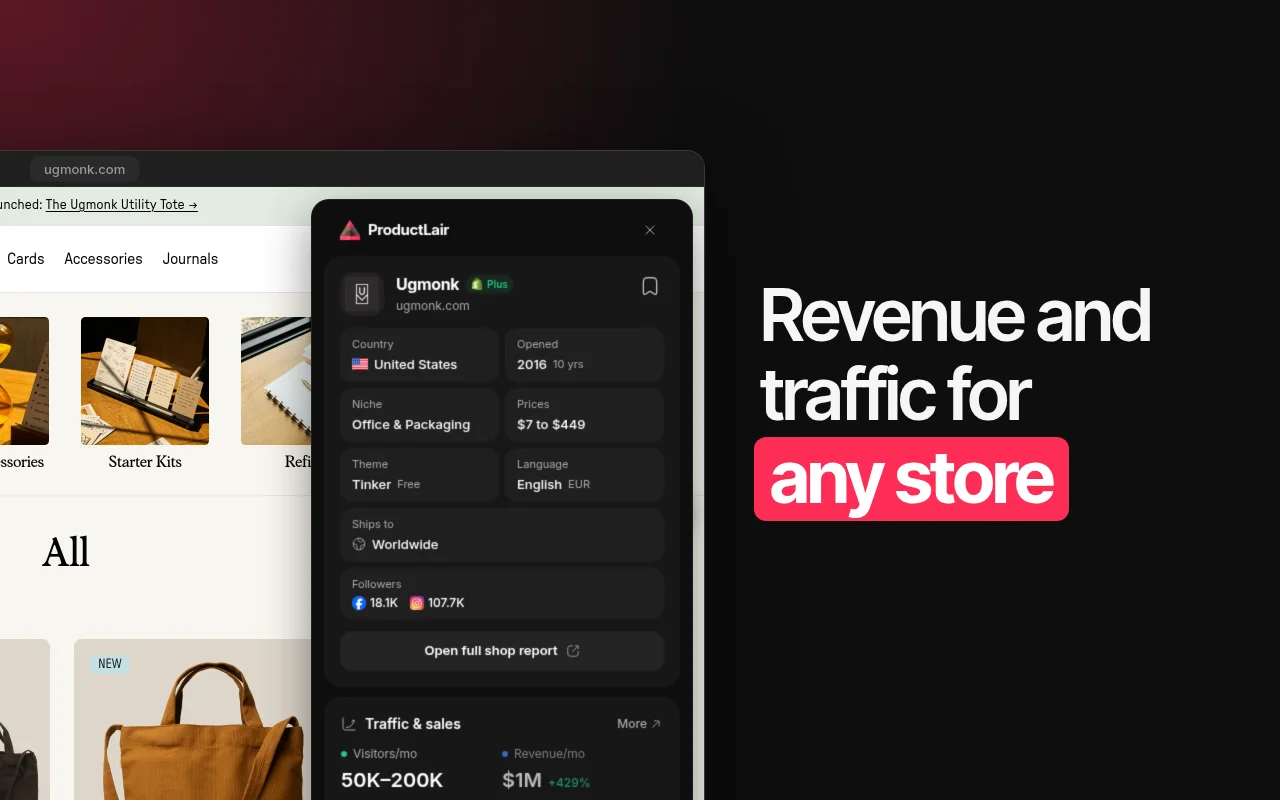
ProductLair Shopify store spy extension showing a store's country, niche, theme, followers and traffic

Spying on Shopify storesby hand is painfully slow

  • Cross iconGuessing which products a store actually sells
  • Cross iconDigging through the Ad Library one page at a time
  • Cross iconNo idea if a store makes $1K or $1M a month
  • Cross iconMissing the day a rival launches a new winner

There is a better way

Arrow pointing down

See What a Store Makes

Monthly visitors and revenue on any Shopify store
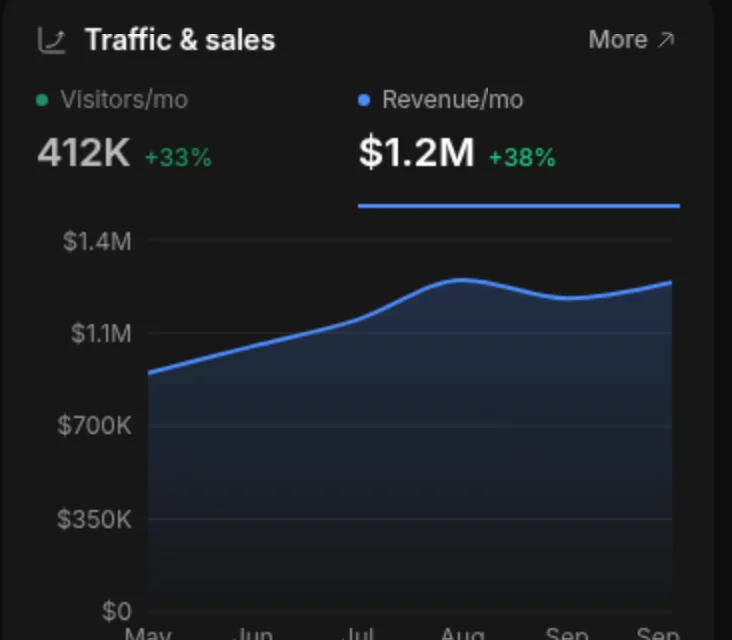
Shopify store spy panel with monthly visitors, revenue and a revenue chart

Find Their Best Sellers

Top products in order, plus the newest launches
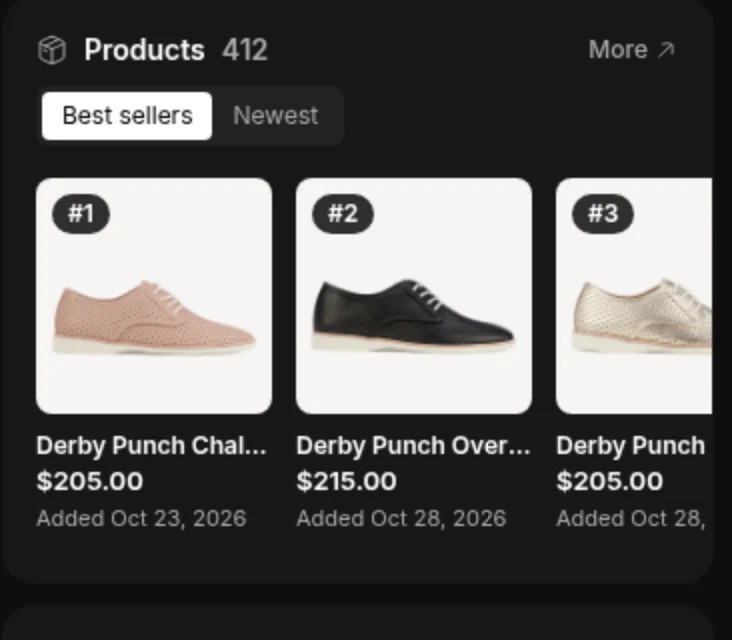
A Shopify store's best-selling products ranked with prices and dates added

Works on Any Shopify Store

The ProductLair icon shows up on every Shopify store you visit
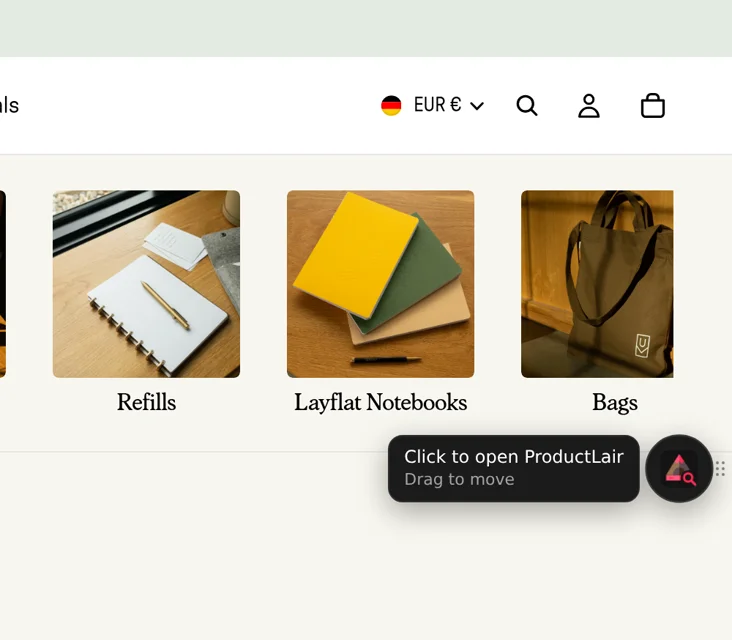
ProductLair extension icon on a Shopify store page, ready to open the store spy panel

Copy the Ads That Keep Running

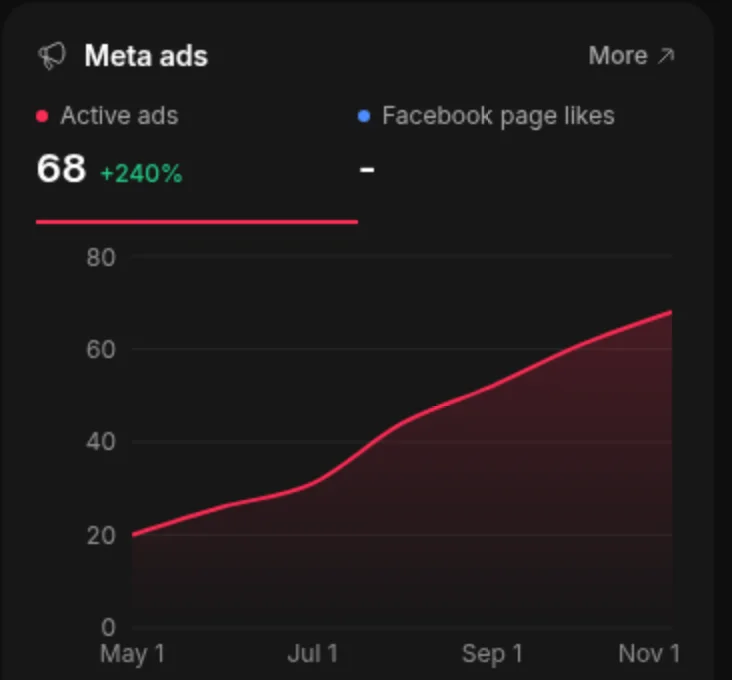
Active Meta ads, longest-running first, and how fast the count grows
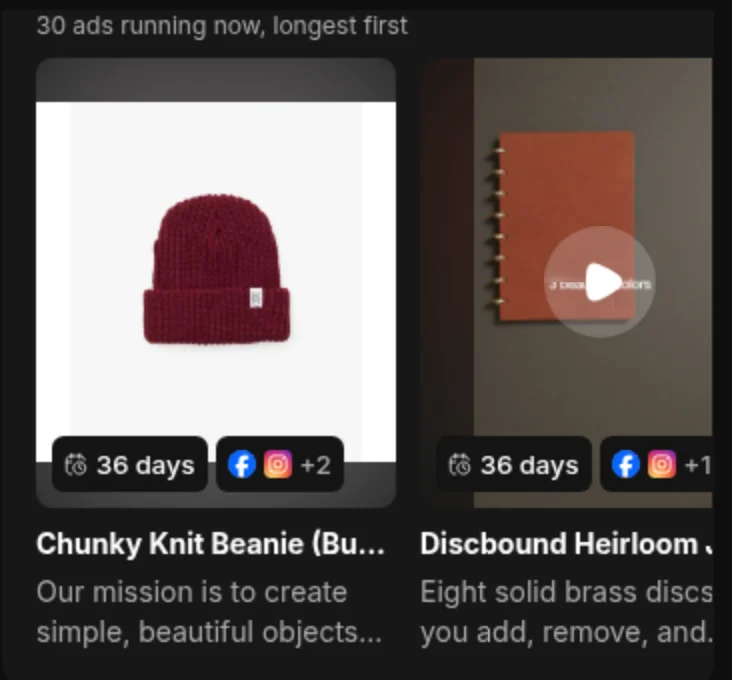
Meta ads a Shopify store is running, each with how many days it has been runningChart of a Shopify store's active Meta ads growing over six months

ONE CLICK ON ANY STORE

Everything a Shopify store hides, in one panel
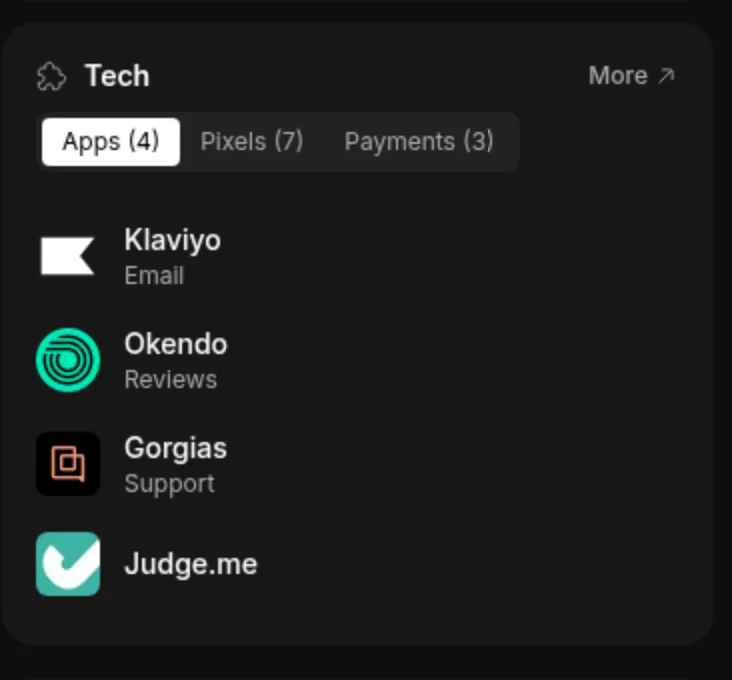
Apps a Shopify store uses, with tabs for its tracking pixels and payment methods

Apps, Pixels and Payments

The apps a store runs on, the tracking pixels it fires and the ways it takes payment, plus its theme.
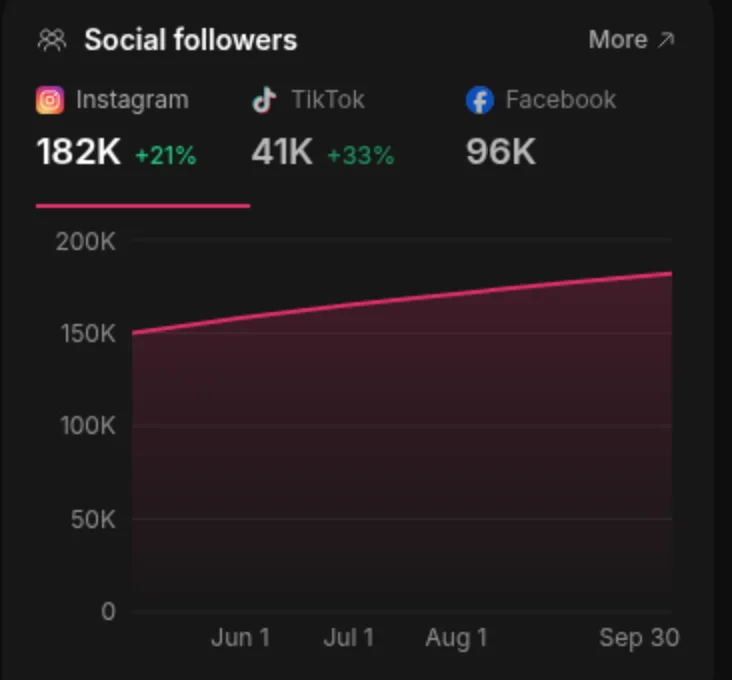
A Shopify store's Instagram, TikTok and Facebook followers with a growth chart

Social Followers

Instagram, TikTok and Facebook followers for the store, and how fast they grow.
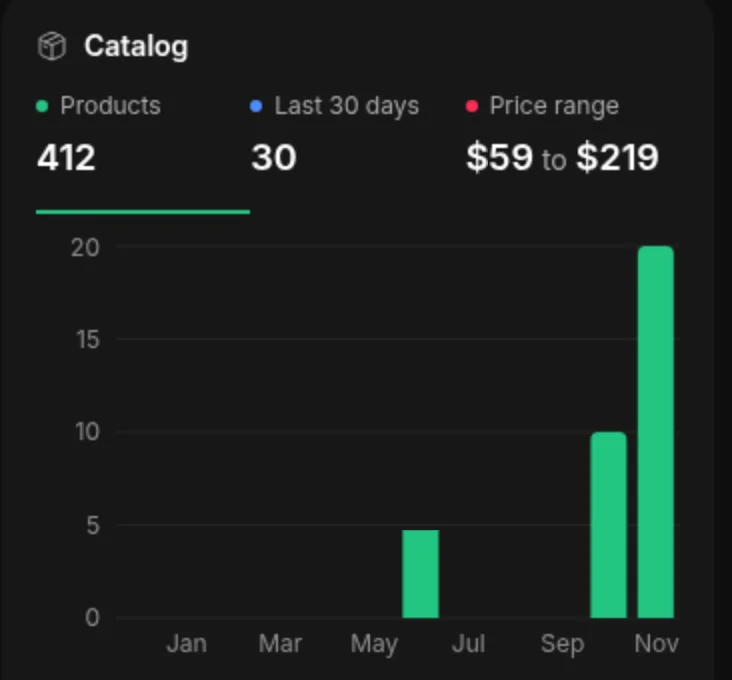
A Shopify store's product count, price range and new products added each month

New Products Each Month

How many products the store sells, its price range and how many it added each month.

TRACK SHOPS

Know the day a rival moves

Track a store in one click. We check it every day and the extension's Tracked tab shows every new ad, new product and price change. See all tracked shops in the Shop Tracker.
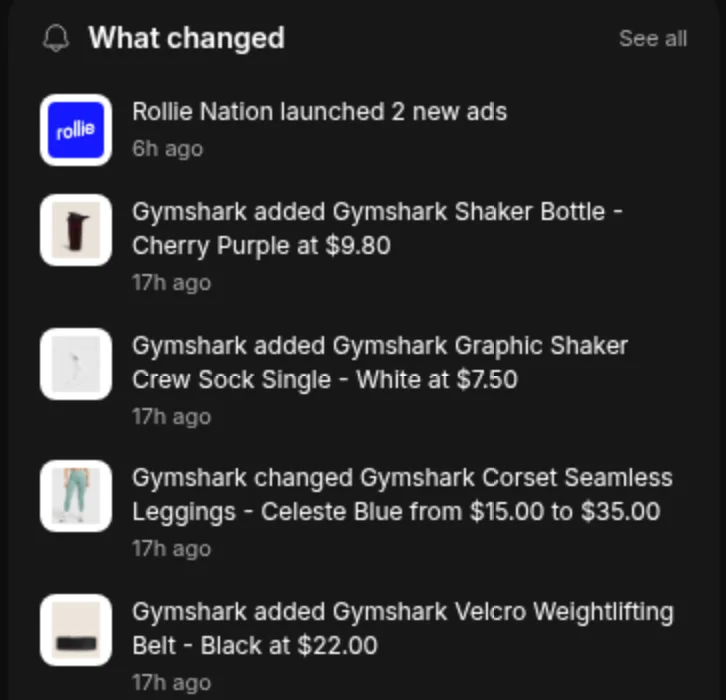
Tracked Shopify stores in the extension with new ads, new products and price changes

Frequently Asked Questions

Answers about the free Shopify store spy extension. Want stores that already sell winning products? Browse the Shop Library and the Product Library.

What is the ProductLair Shopify store spy extension?

It is a free Chrome extension that shows data about the Shopify store you are on: estimated monthly revenue and traffic, best sellers, newest products, apps, theme, tracking pixels, social followers and the Meta ads the store runs, with how many days each ad has been running. One click also tracks the store in ProductLair.

Is the extension free?

Yes. Install it and open any Shopify store to see its theme, apps, pixels and products without an account. A free ProductLair account adds revenue, traffic and Meta ads. Paid plans add every ad, the full ad history and shop tracking.

How do I see what a Shopify store sells best?

Open the store and click the ProductLair icon. The Products section lists the store’s best sellers in order, with prices, and a Newest tab shows the products it added most recently, with dates.

How do I find the Facebook ads a Shopify store is running?

Open the store and the panel lists the active Meta ads that link to it, longest-running first. Each ad shows how many days it has been running, its copy, image or video, and a link to the ad in Meta’s Ad Library. An ad that keeps running is usually an ad that pays. You can also browse ads ranked by days running in the Meta Ad Library.

How do I check if a website is a Shopify store?

With the extension installed, the ProductLair icon appears on the page when the site is a Shopify store. Click it to see the store’s theme, apps and the rest of its data.

Can I track competitor Shopify stores?

Yes. Click track in the panel and the store is added to your ProductLair account. We check tracked shops every day for new products, price changes and new Meta ads, and the extension’s Tracked tab shows what changed at each one. Research tracks 5 shops, Launch 25 and Sell 100.

Does the extension read my browsing data?

No. The extension checks each page inside your browser to see if it is a Shopify store, and sends nothing anywhere. It only fetches store data when you open the panel on a store. See the privacy policy for the details.

Is this a Koala Inspector or PPSPY alternative?

Yes. Like those tools it shows a Shopify store’s theme, apps and products. It also puts revenue, traffic, Meta ads with days running and shop tracking in the same panel, and connects to the ProductLair Shop Library, where you can browse the stores selling winning products.

What is ProductLair?

ProductLair is a dropshipping product research platform with handpicked winning products, each with profit data, competitor stores, TikTok and Meta ads, supplier details and a launch plan. The extension brings its shop data to any Shopify store you visit.

Find the stores worth spying on

The Shop Library lists the Shopify stores selling winning products, with revenue, traffic, Meta ads and best sellers for each. From $39/month, cancel anytime.

Rocket illustration representing fast dropshipping product launches